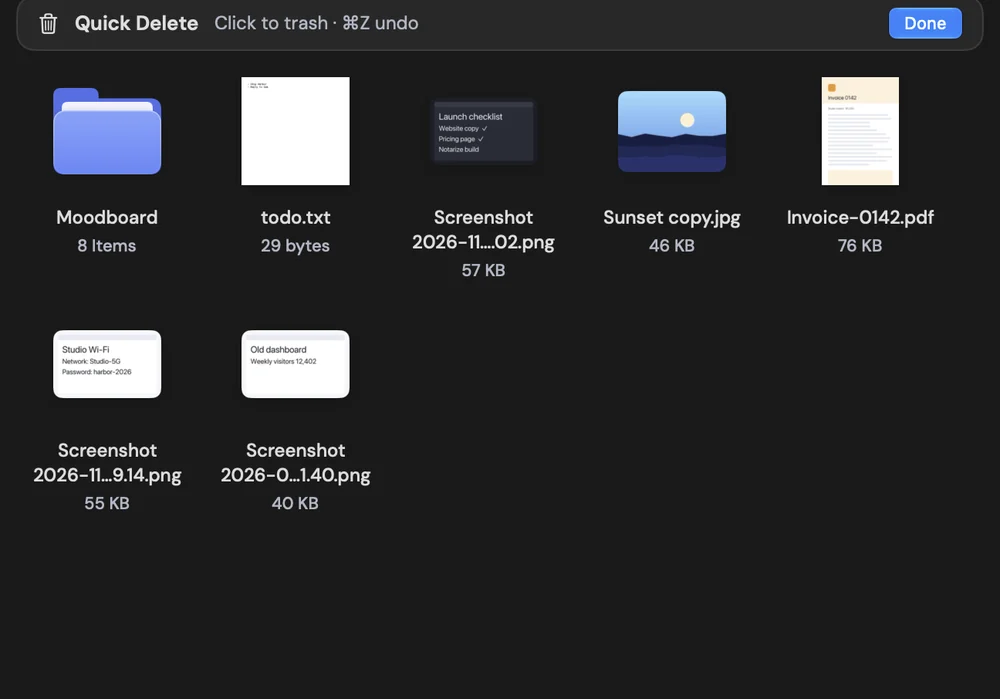
Quick Delete
Turn it on and every click sends a file to the Bin. Clear a messy Downloads folder in seconds.
 Finder alternative for Mac
A fast file browser with plain-English search, a disk map that shows what fills your Mac, and clean-up that never deletes on its own.
Launch price $9 $19, paid once|Your files stay on your Mac
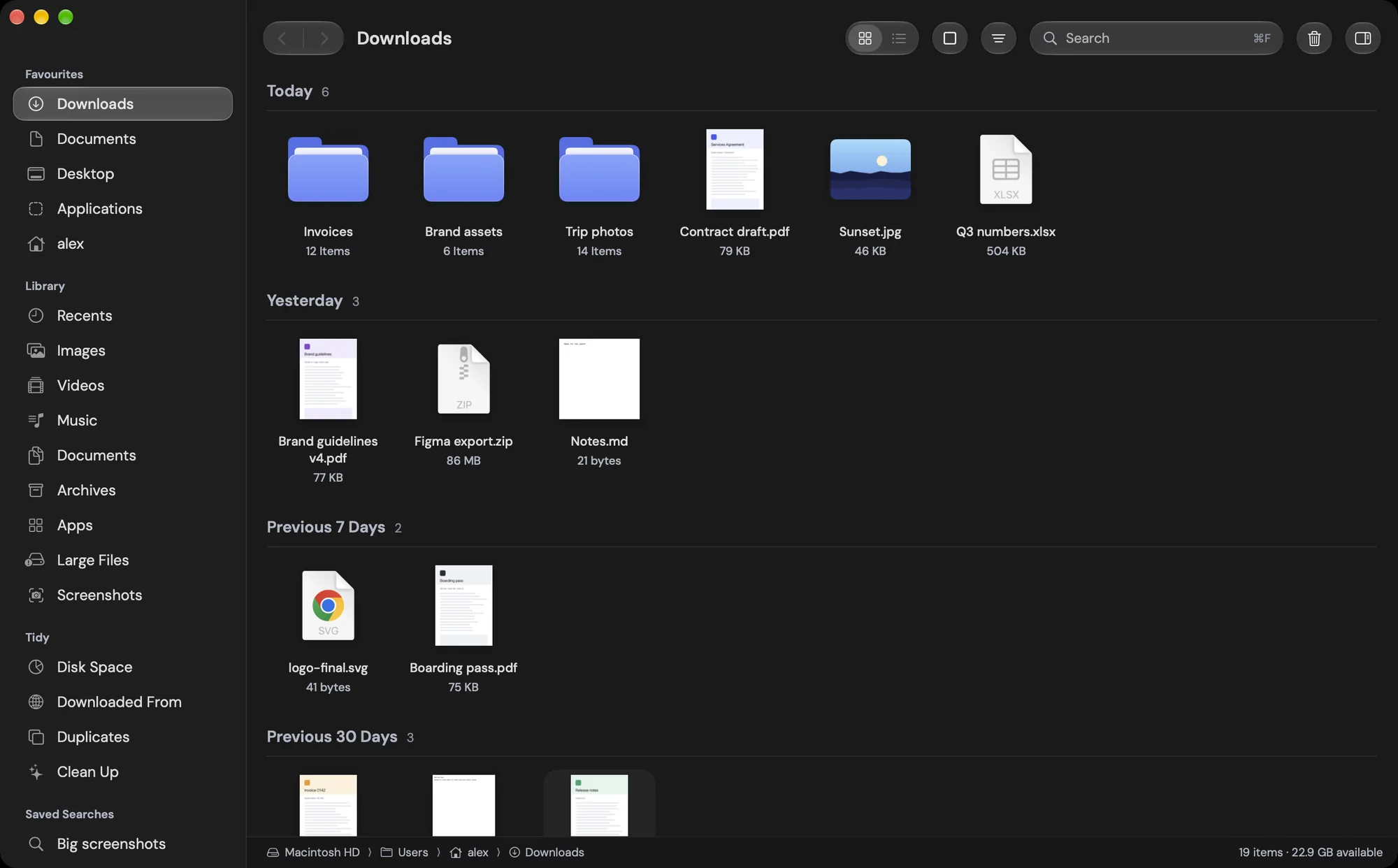
Real screenshots of Harbor 1.0. The files are examples.
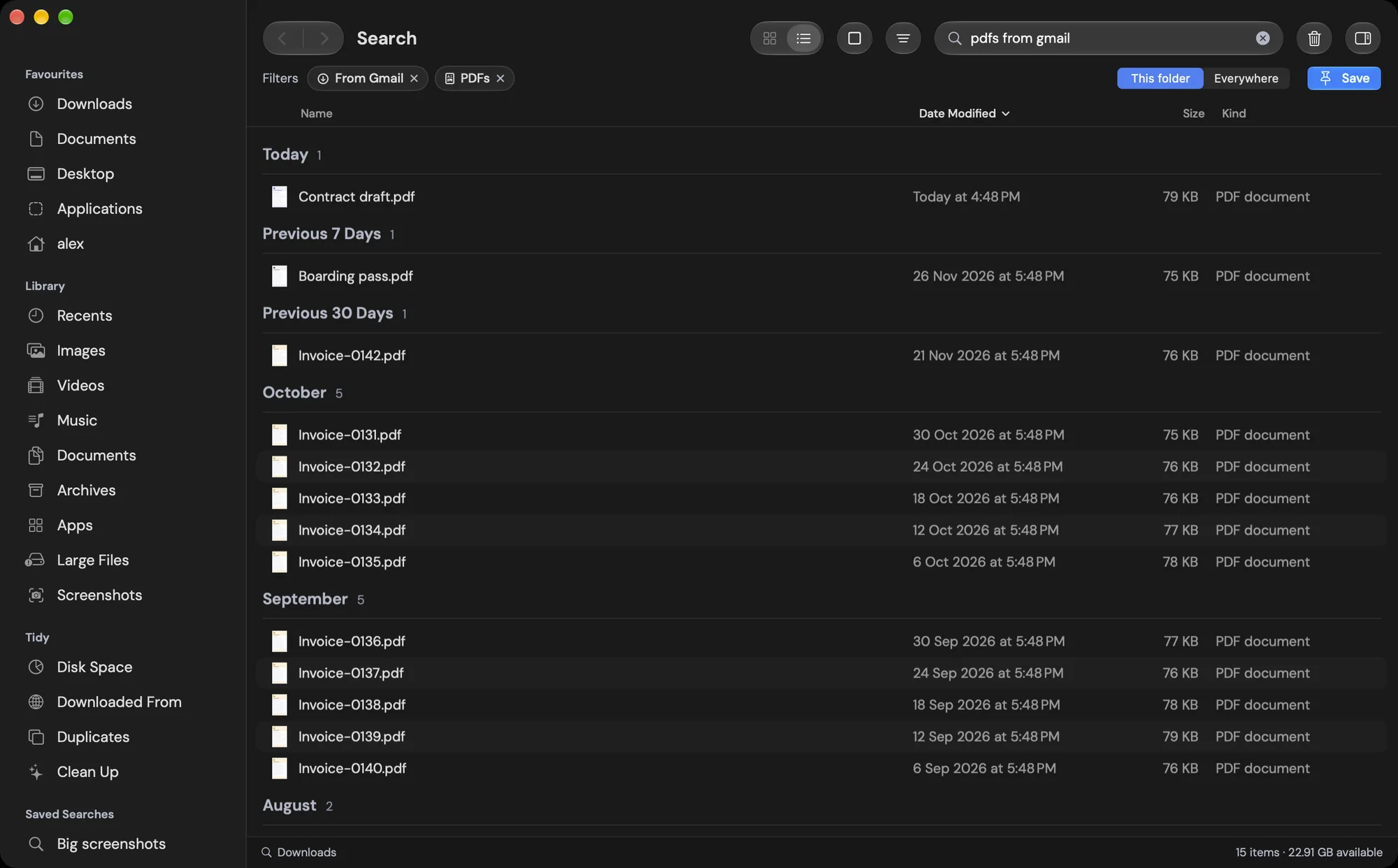
Type “pdfs from last week over 5 mb” and Harbor turns it into filters you can see and remove.
Finder matches any word anywhere. Harbor shows name matches first, then files that contain your exact phrase.
One scan maps every folder by size, so the biggest things are the biggest blocks. Hover for exact numbers, click to zoom in.
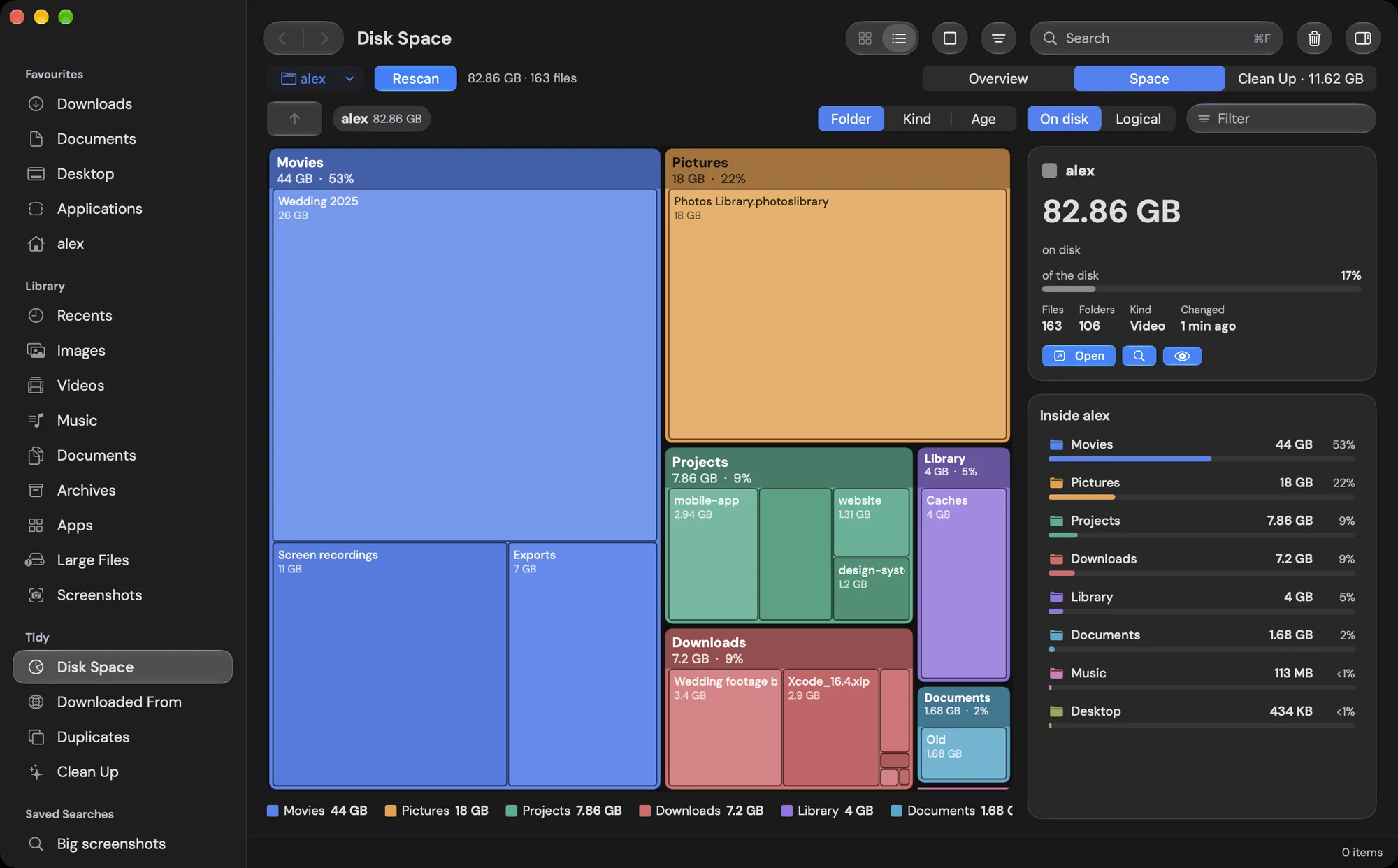
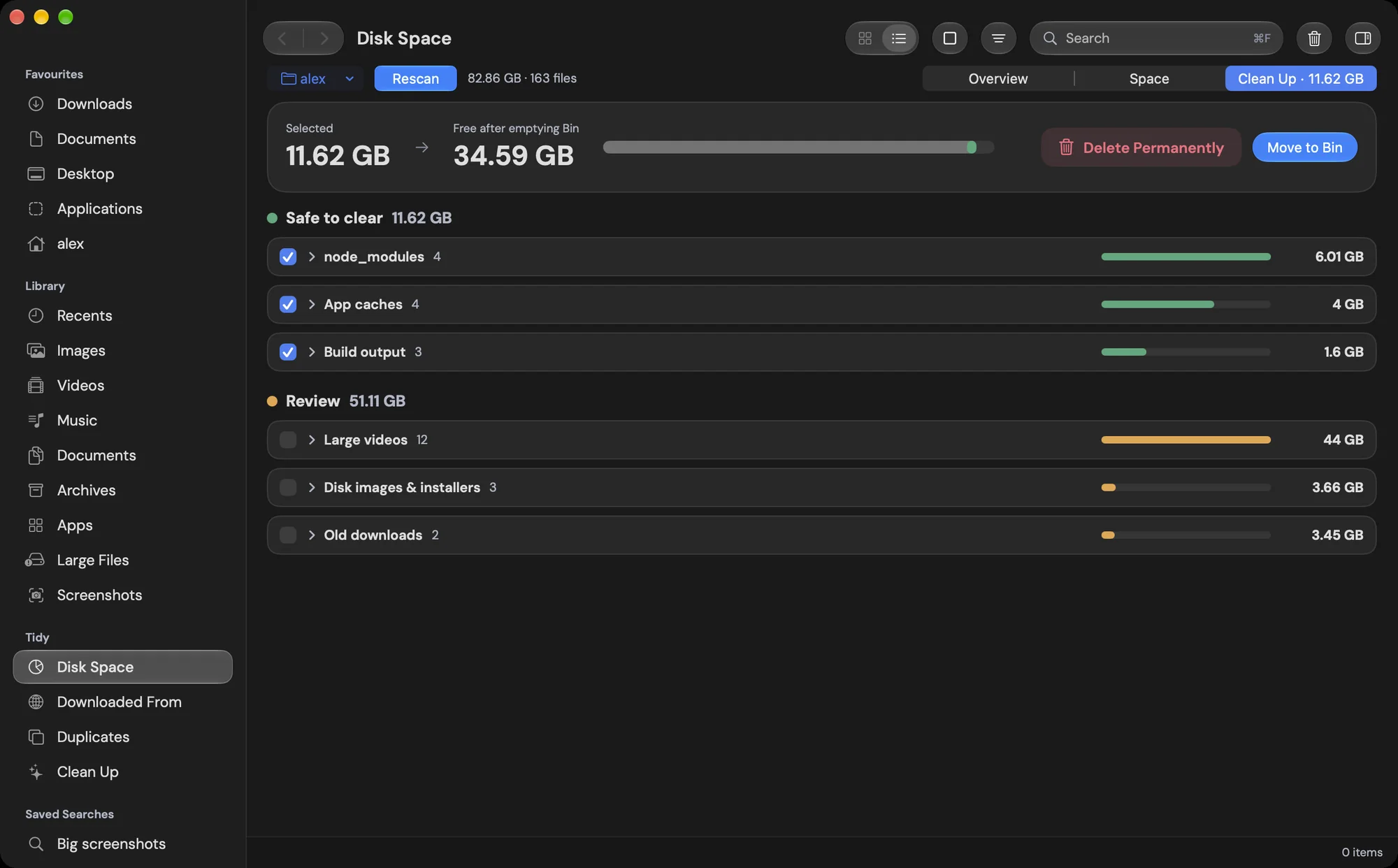
Caches, build output and node_modules are picked for you. Real files wait for you to decide.
Return opens. Cut and paste moves. Undo works for moves, renames and deletes.
Ten smaller features that come with Harbor.
Turn it on and every click sends a file to the Bin. Clear a messy Downloads folder in seconds.
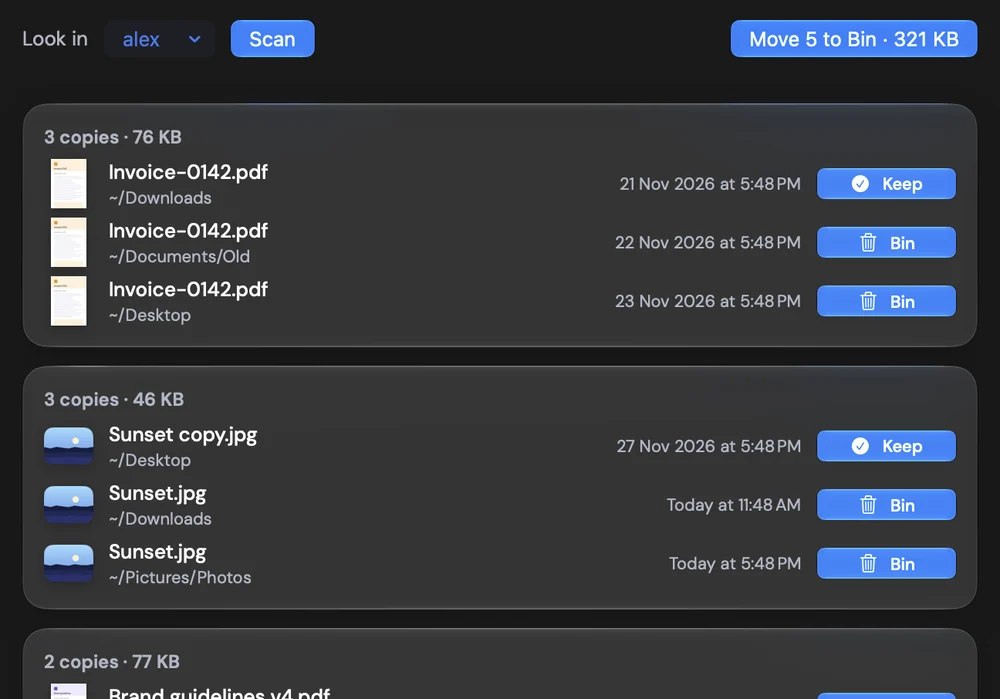
Finds exact copies by content, not name. Keeps the original and frees the rest.
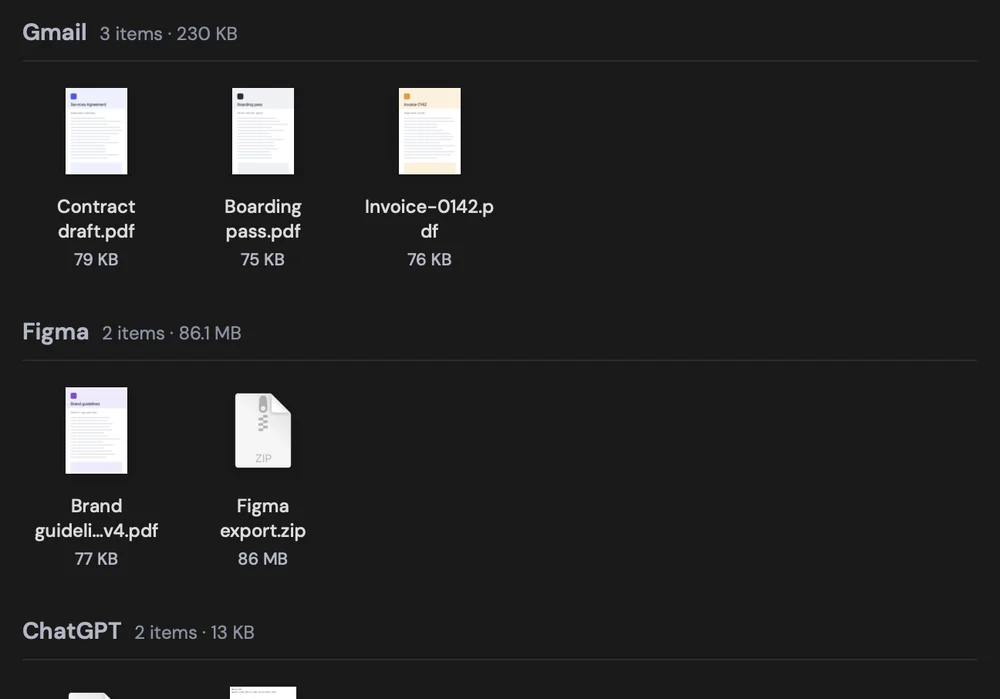
See where every download came from, Gmail, Slack, ChatGPT or any site, and tidy by sender.
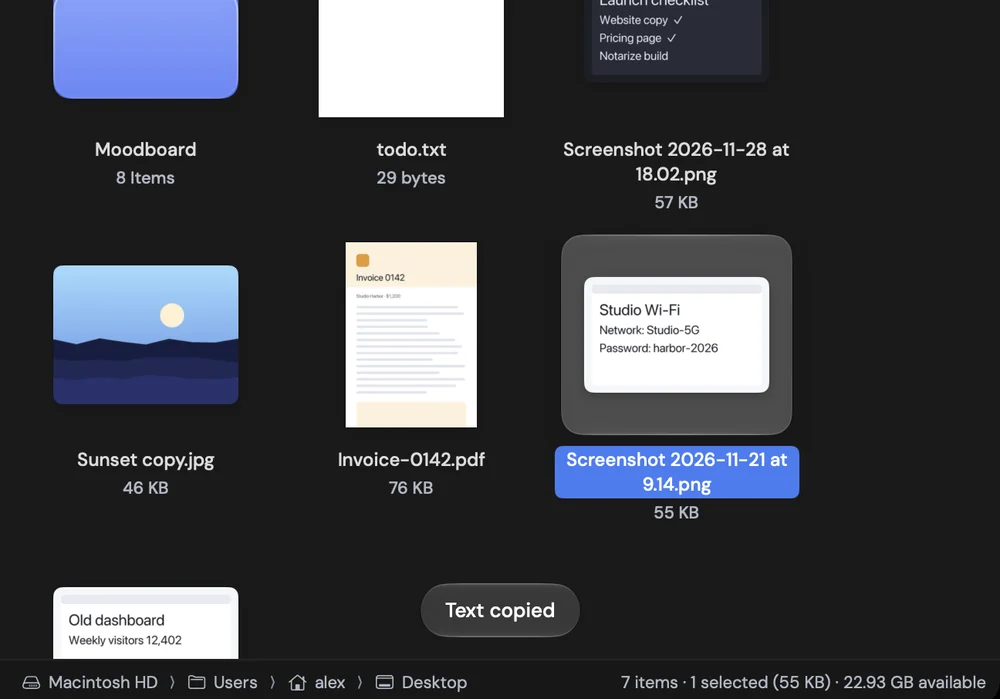
Pull the text out of images and PDFs with ⇧⌘C. Recognised on your Mac, never uploaded.
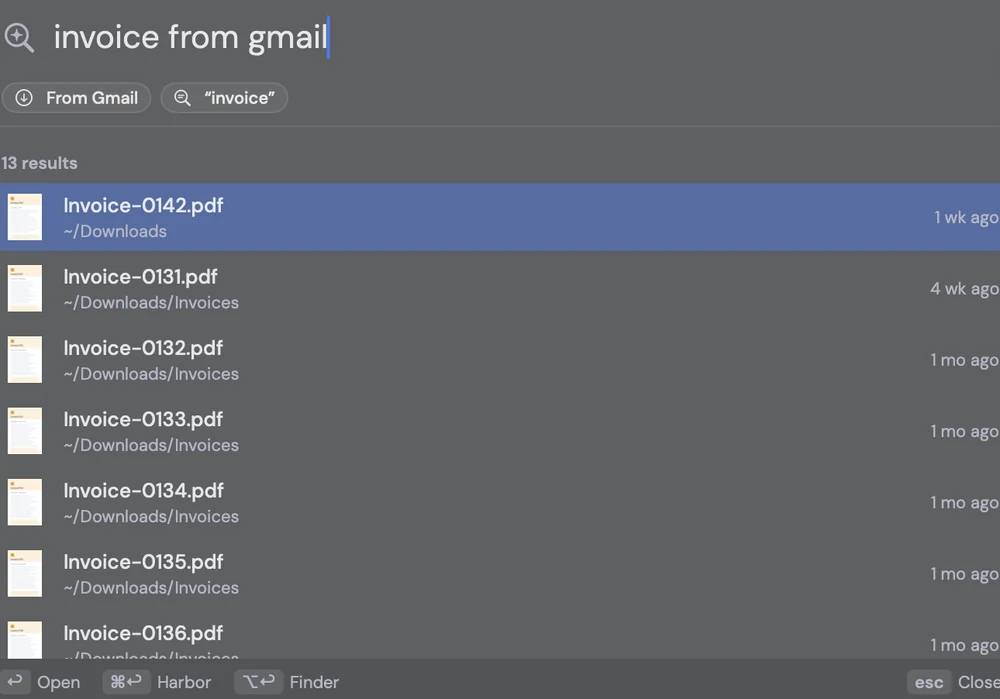
A Spotlight-style panel for files only. ↩ opens, ⌘↩ shows it in Harbor.
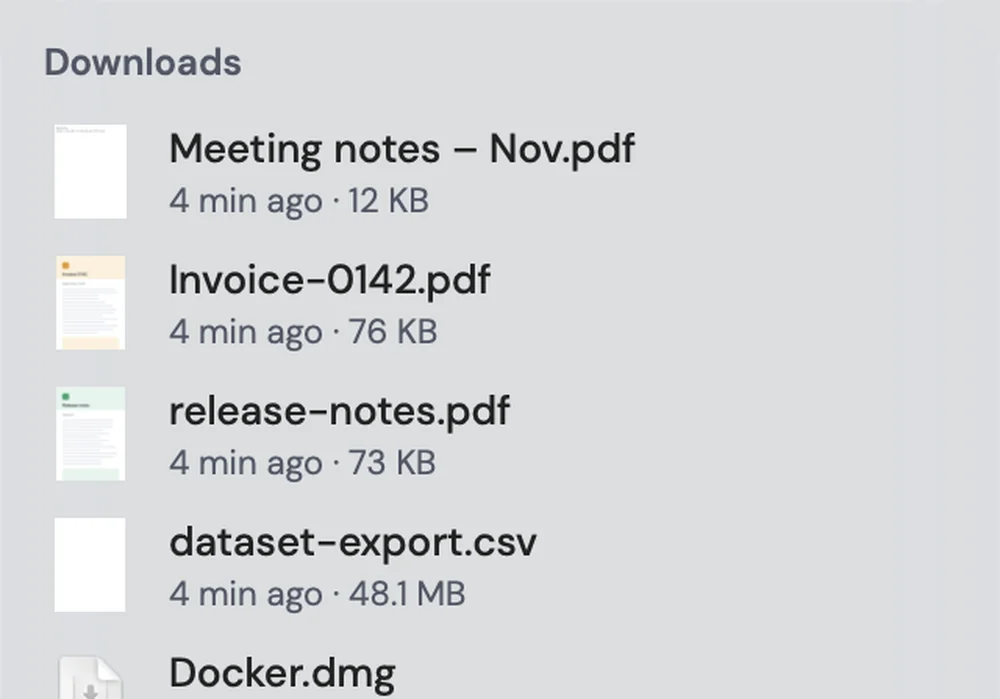
Your ten newest downloads, one click away. Drag any of them straight into an email or chat.
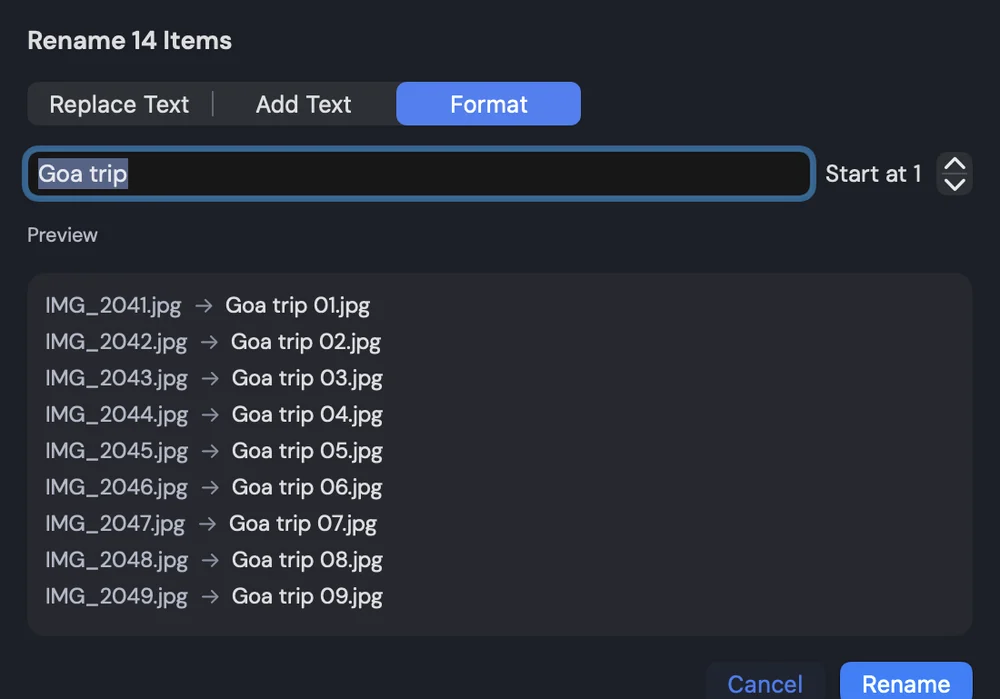
Replace text, add a prefix or number a whole set, with a live preview before anything changes.
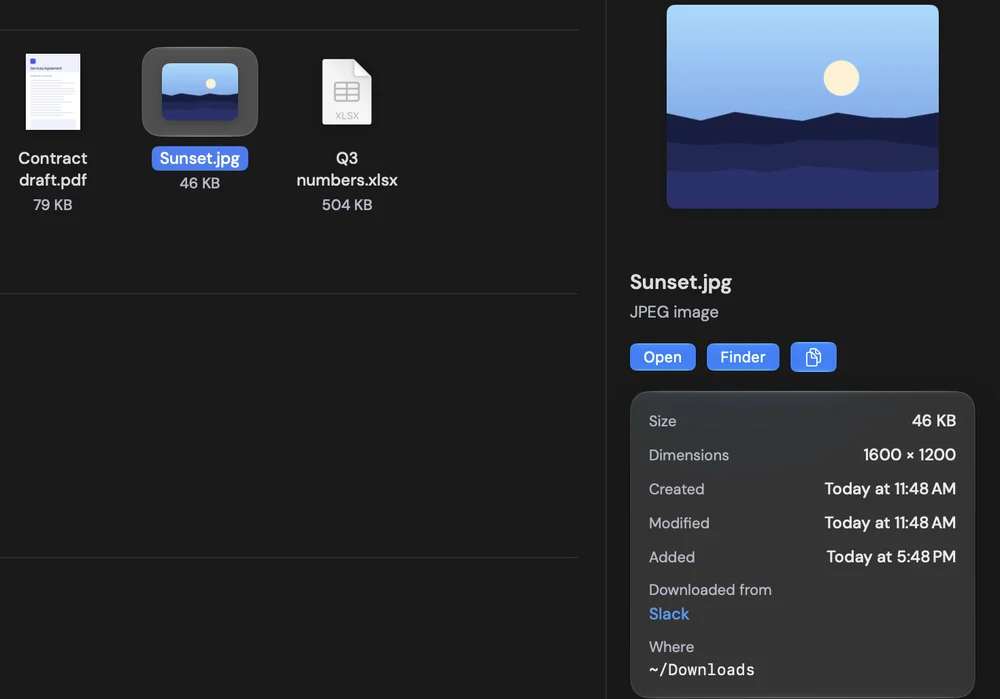
Space previews any file. ⌘I shows size, dimensions, camera and source.
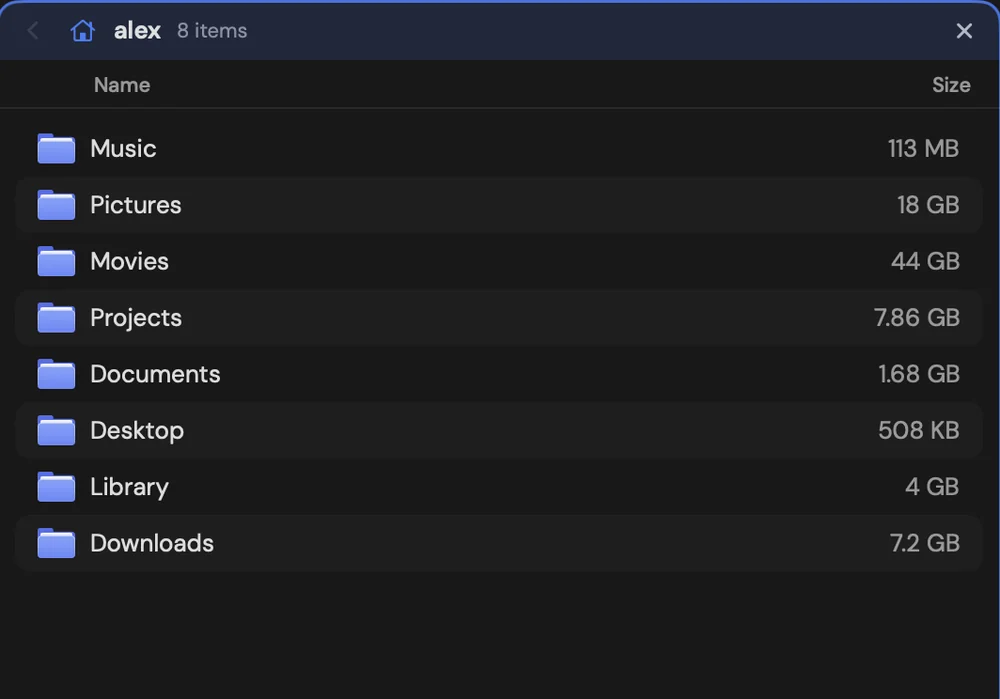
See how big every folder is right in the list view, worked out in the background.
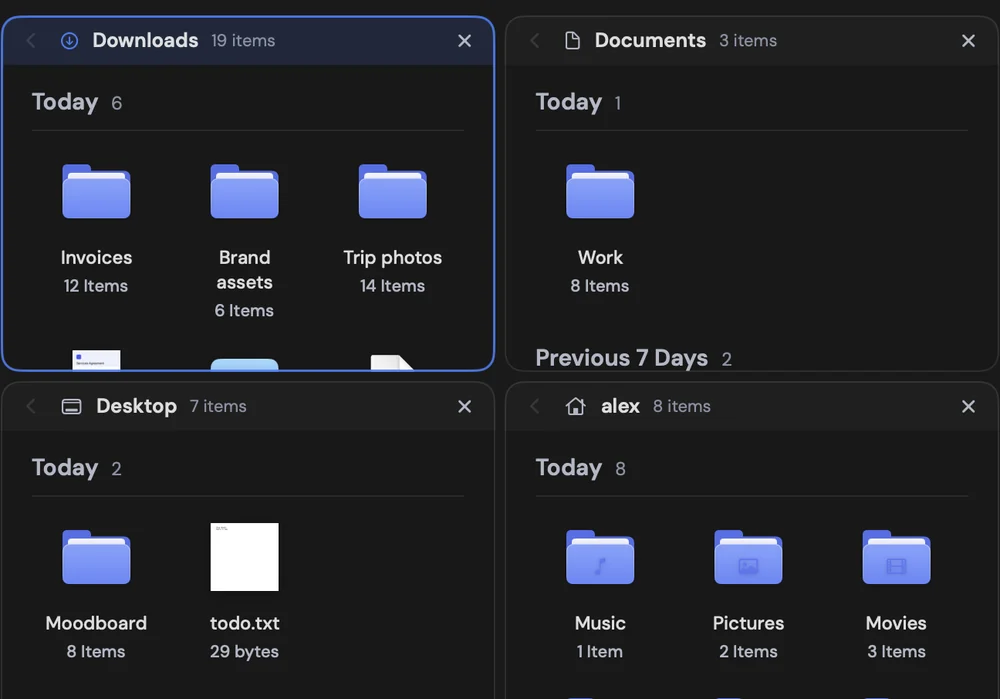
Split the window into two, three or four panes and drag files between them. ⌃⌘4 for a 2×2 grid.
Harbor is actively developed. New features are coming.
| Finder | Harbor | |
|---|---|---|
| Search | Any word, anywhere on the Mac | Plain English, this folder first, name matches first |
| Split view | One folder per window or tab | Up to four folders at once, 2×2 |
| Folder sizes | Shows “--” | Real sizes, in the background |
| Disk map | None | Treemap, two levels deep |
| Clean-up | None | Caches, build output, old downloads, installers |
| Duplicates | None | Exact copies by content |
| Cut and paste | Copy only | ⌘X then ⌘V moves |
| Undo | Some actions | Moves, renames and deletes |
| Downloads | A folder | Grouped by date and by where they came from |
| Price | Included with macOS | $9 launch price ($19), paid once |
Search, scans, duplicates and text recognition run on your Mac.
A license key, that’s all. No sign-up, no tracking.
The license check with Dodo Payments, about once a day.
macOS 26 or later · Apple silicon & Intel
Already bought? Download Harbor
No, it works alongside it. Finder stays your Mac’s default, and Show in Finder is one click away.
Never. Suggestions wait for you, removed files go to the Bin, and ⌘Z brings them back. Delete Permanently is a separate, confirmed action.
No. Everything runs on your Mac. The only network request is the license check.
macOS 26 or later, Apple silicon or Intel.
One at a time. Move it from Settings → License → Deactivate This Mac.
$19 once, $9 during the launch. Taxes such as VAT or GST are added at checkout where they apply.
It’s in the email from Dodo Payments, and in the Dodo customer portal under the email you bought with.
Yes, within 7 days. Email support@harbormac.com.
